How to use:
The FILTER Button
The BLANCO Button
The UPLOAD Button
General Site Info
Weaselware:
Instructions
Advanced
Life advice:
Passwords
How to do:
The Platner Edge
A Drainboard
coming soon:
One weird trick to keep pieces from moving while milling sinks.
Suction cup companies hate it!
Also, TOP 10 ways to make banana bread from dried up old banana peels.
#8 will BLOW YOUR MIND
Are you a silicatewastes power-user? Do you use Weaselware twenty times a day? Forty? A million!??? Do you want a badass silicatewastes icon in your task bar? Of course you do. Download this script and save it to C:\Users\yourname\Documents\sinkmaster or wherever: prolinerscan2.ps1
Alright. Open it up in a text editor. Don't use Wordpad or anything fancy, that will ruin it. If you don't know what I'm talking about just use notepad. Or get your 15 year old kid to do it. Now find this chunk at the top:
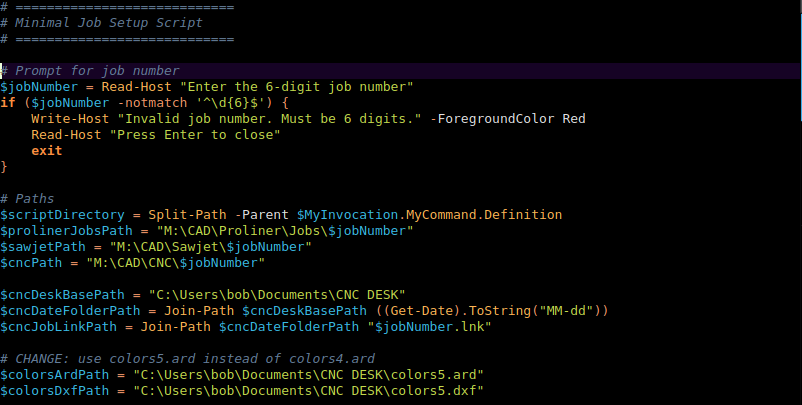
Whoopdee doo. Find the three lines with "bob" in them. Change them to your name or whatever the username is that your Documents folder is stuffed in. Then make a folder called "CNC DESK" in your Documents folder. The script will store time-saving links in there.
I'm assuming you use six digit job numbers. If not get your 15 year old kid to fix the chunk at the top. Or paste the whole script into Copilot and tell it what to do. Also I'm assuming you store all the LT DXFs under their job number in a folder somewhere. Replace that M:\CAD\Proliner\Jobs part with wherever you store your LT dxfs.
Okay. Now download this file and save it to C:\Users\yourname\Documents\CNC DESK: colors5.dxf. Then import your new DXF into AlphaCAM and add those seven layers. You have to keep those colored lines in this file. Save it as colors5.ard. Or if you use .asd then find that extension in the code of prolinerscan2.ps1 and change it to .asd. You can add whatever stuff you want to this file like "FACEUP" or symbols or whatever. You'll make it up as you go.
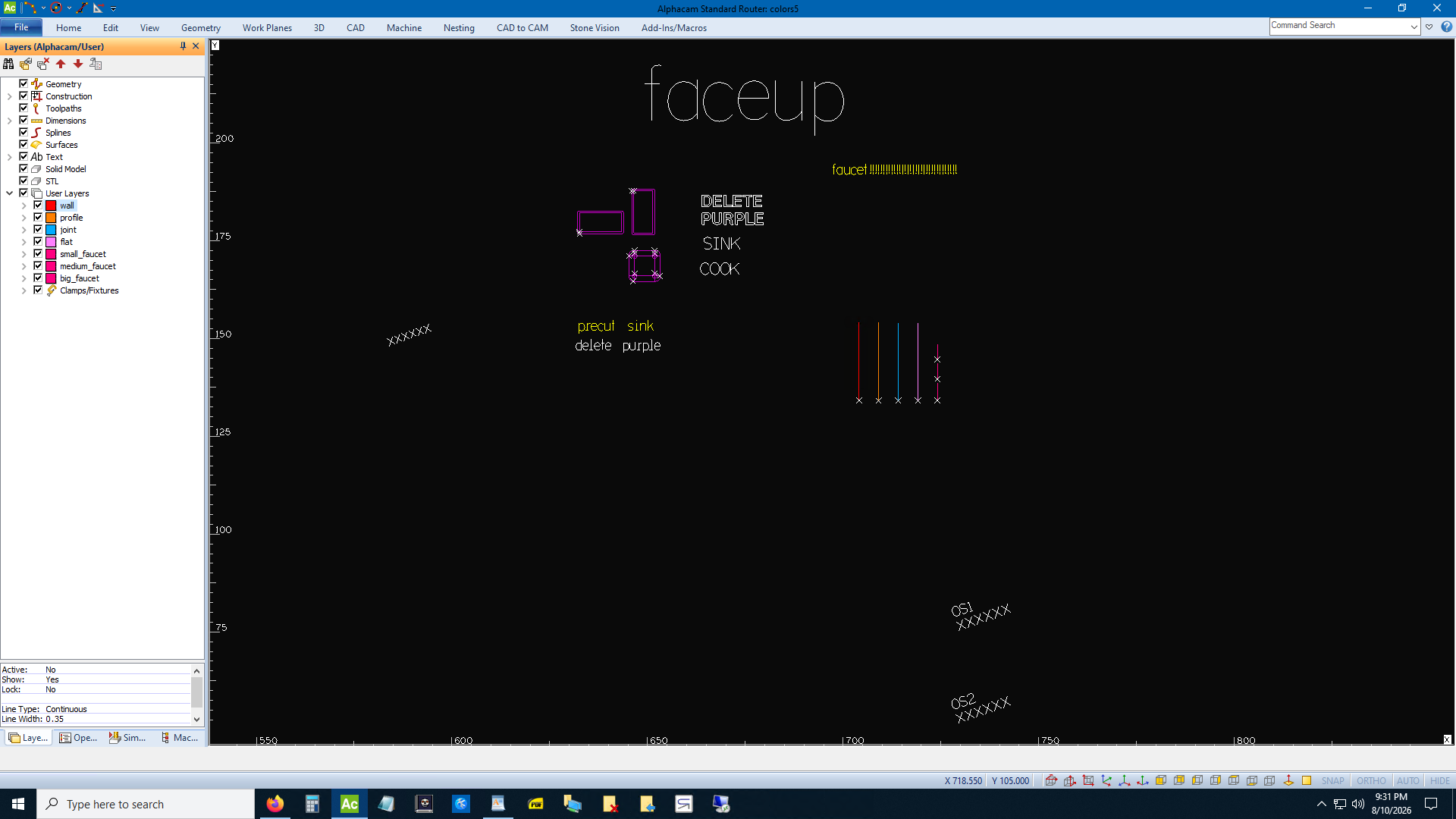
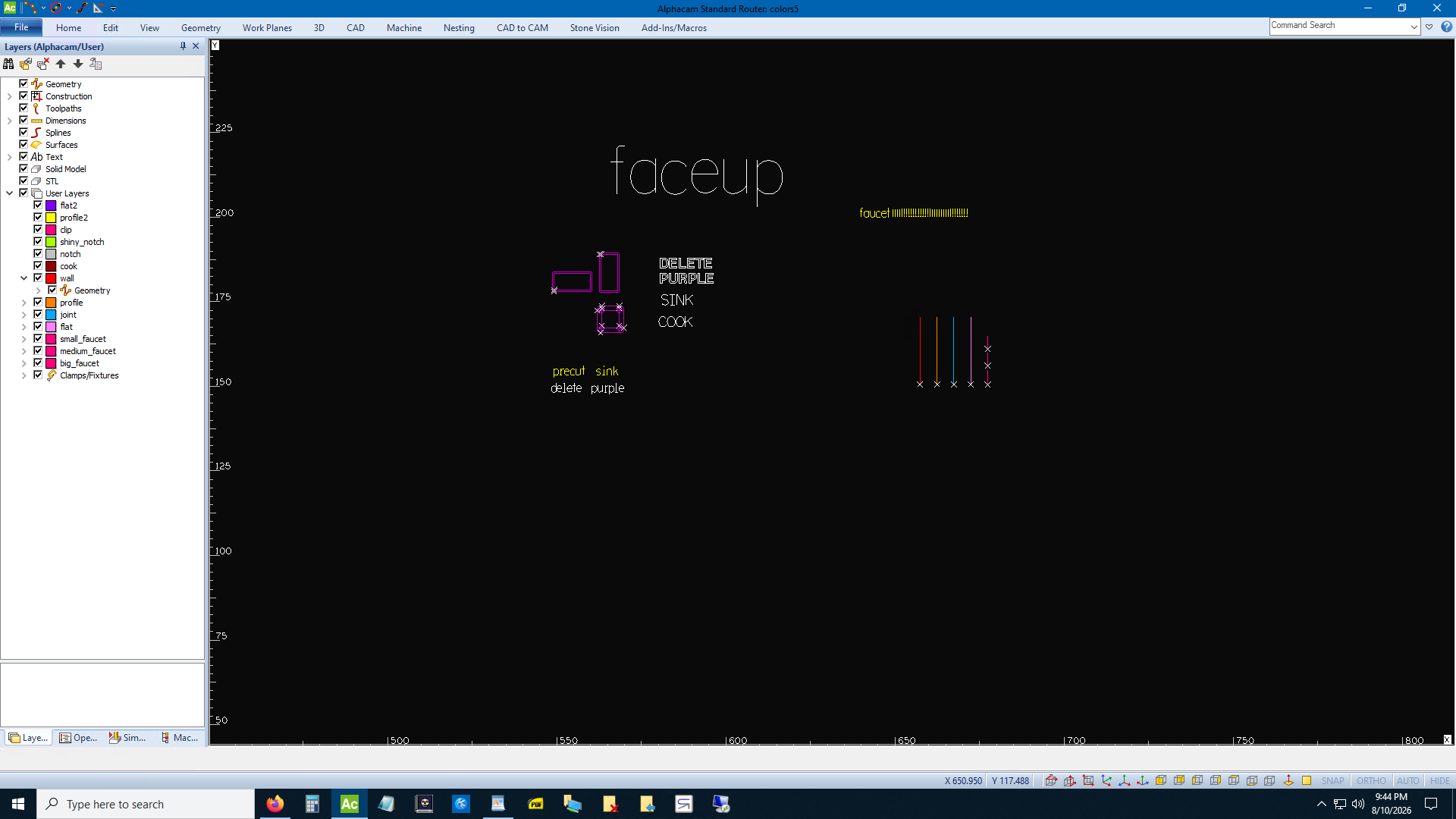
Now delete all the colors5.dxf stuff from colors5.ard. The script knows how to edit a .dxf so it can change all those "XXXXXX" texts to your job number each time. It doesn't know how to edit a .ard file.
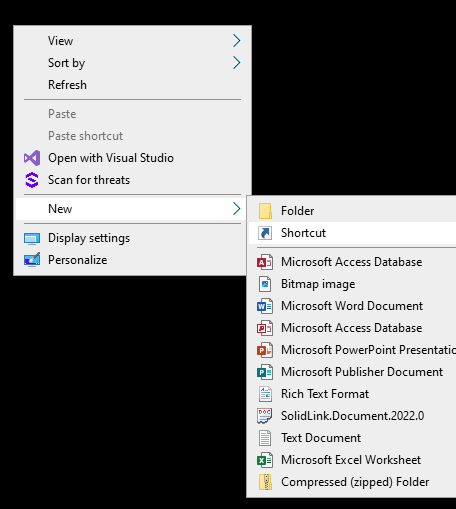
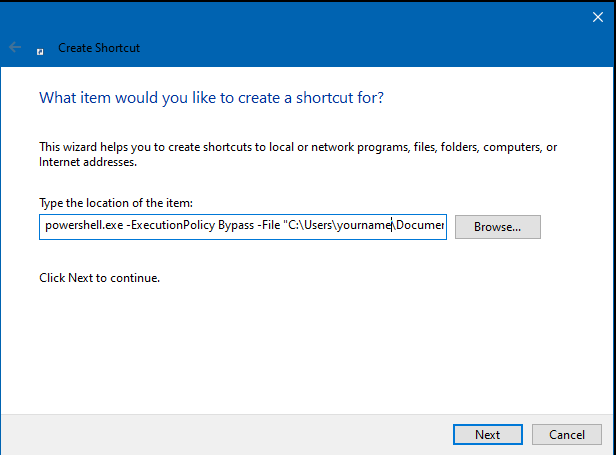
Alright. Right-click on your desktop and select create new shortcut. Hit browse and
find wherever you saved prolinerscan.ps1 and select it. But you have to put quotes around
it and put this in front of it:
powershell.exe -ExecutionPolicy Bypass -File
Hit next. Give it a badass name like Weaselware and hit finish.
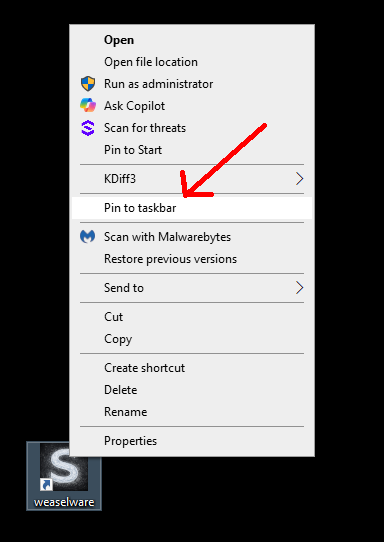
Okay now download this icon and save it wherever: taskbar icon. Right click on the new shortcut and hit properties. Then pick change icon. Find wherever you saved the new icon and select it. Hit okay or finish or whatever. Then right click on the shortcut again and pick pin to taskbar.
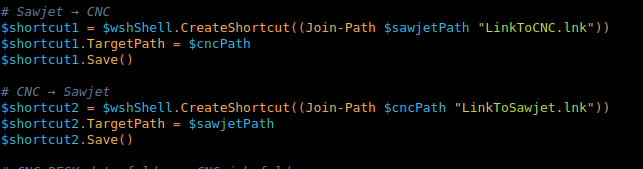
Aw man this is brutal. Alright, look at that picture of code way at the top of this page again. See the sawjet and cnc Path? The last two lines in the 2nd chunk. I don't know how you operate. This script creates a job folder in a CNC folder and a sawjet folder and it copies DXFs from your LT folder to the CNC folder. Then it creates links between the sawjet and CNC folders. If you don't want to create a sawjet folder, delete that line. Change the $cncPath to whatever you want. Change the saw one to whatever you want if you're using it. You back yet? Okay now find the chunk of code below. It creates the links from sawjet to CNC. If you kept the sawjet line then this block of code is okay. Otherwise delete it all.
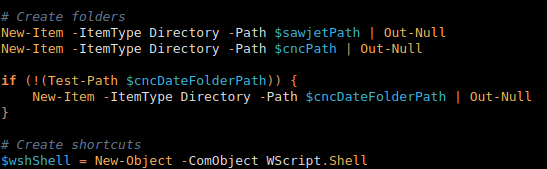
Uhh... Okay. Oh and find this chunk and delete the sawjet line if you're not using it.
Oh my God are we done yet? Okay find the firefox chunk and replace it with whatever you use, unless you use firefox. (Pick one of those three options, don't put all three in your code.)
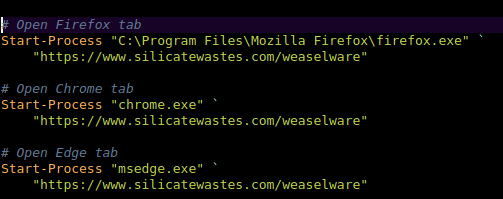
Is that it? Maybe. If I forgot something and it doesn't work just paste the script into Copilot and harass it into making it work. In fact, email me what I left out and tell me what you had to do to get it to work.
Okay. You can delete the shortcut on your desktop once it's on your taskbar. Now click the taskbar icon and the window should pop open and ask you for the job number. Type it in. It should pop open an instance of file explorer open to your new CNC folder with a .ard named after your new job number. Ready to go. It contains whatever is in your colors5.ard. Also it popped open a tab to Weaselware. Drag your LT dxfs into there, one by one if there's more than one. Hit the Eased button each time if you need to. Hit download each time. Drag the downloaded item each time from the downloads panel back to the CNC folder in file explorer.
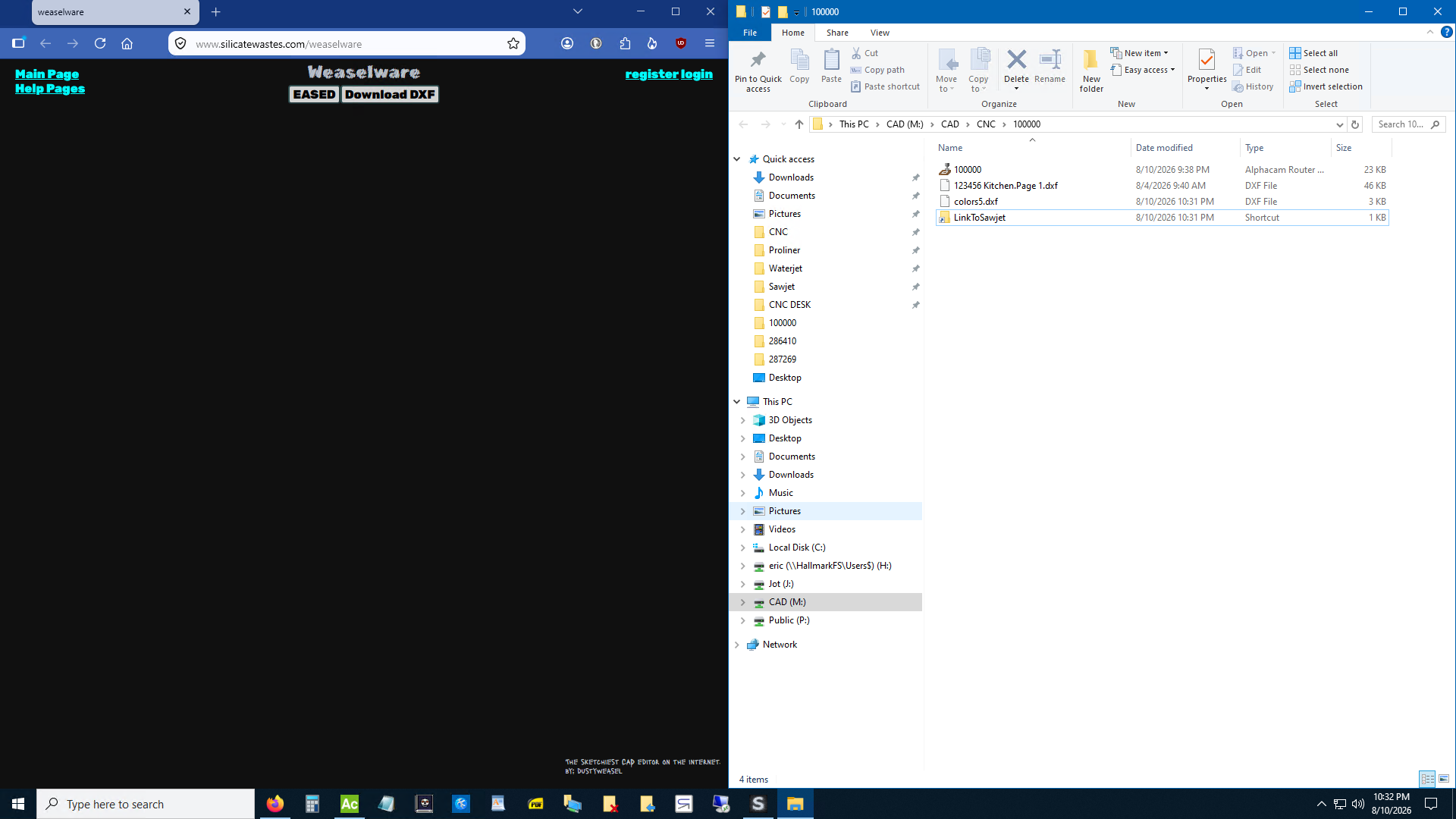
Alright. Pin your CNC DESK folder in file explorer. I don't remember how at the moment. Look it up. Now open AlphaCAM. Pick open. Now your CNC DESK folder is pinned to the left so just click it. Now you'll find folders by date so pick today's date. Then a link to your new CNC folder will be there. Click it and then open your new AlphaCAM file that the script created.
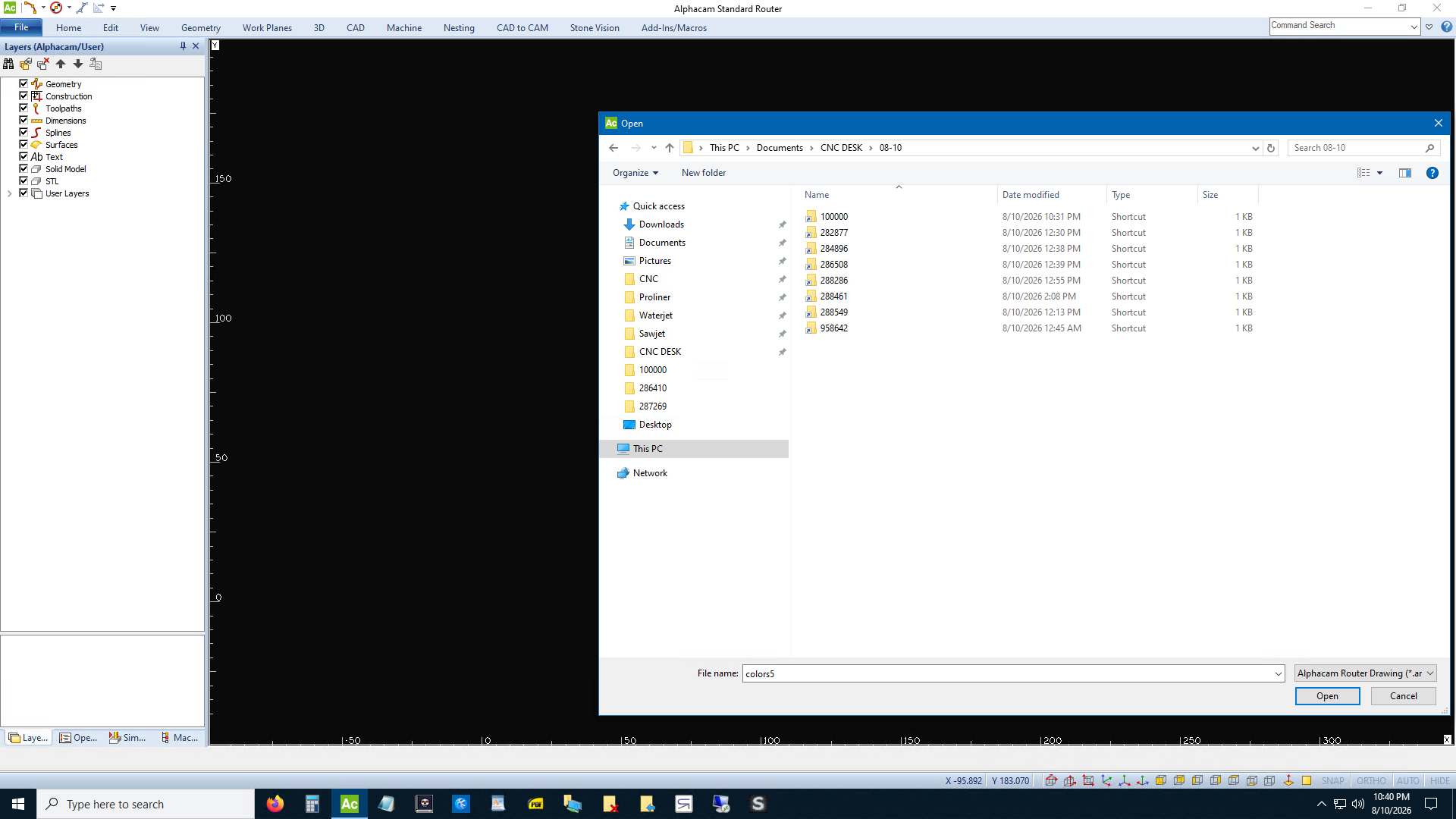
I am so tired. Okay. Look familiar? It's your colors5.ard renamed. Now import DXF. The problem with import DXF is it never goes to the same folder you just opened a .ard from. So click CNC Desk again. Click today's date. Open the new job number folder again. Now import colors5.dxf. Bam. The script made a new DXF with the job number replacing all those XXXXXXs so if you want to label pieces you don't have to type the job number and copy it.
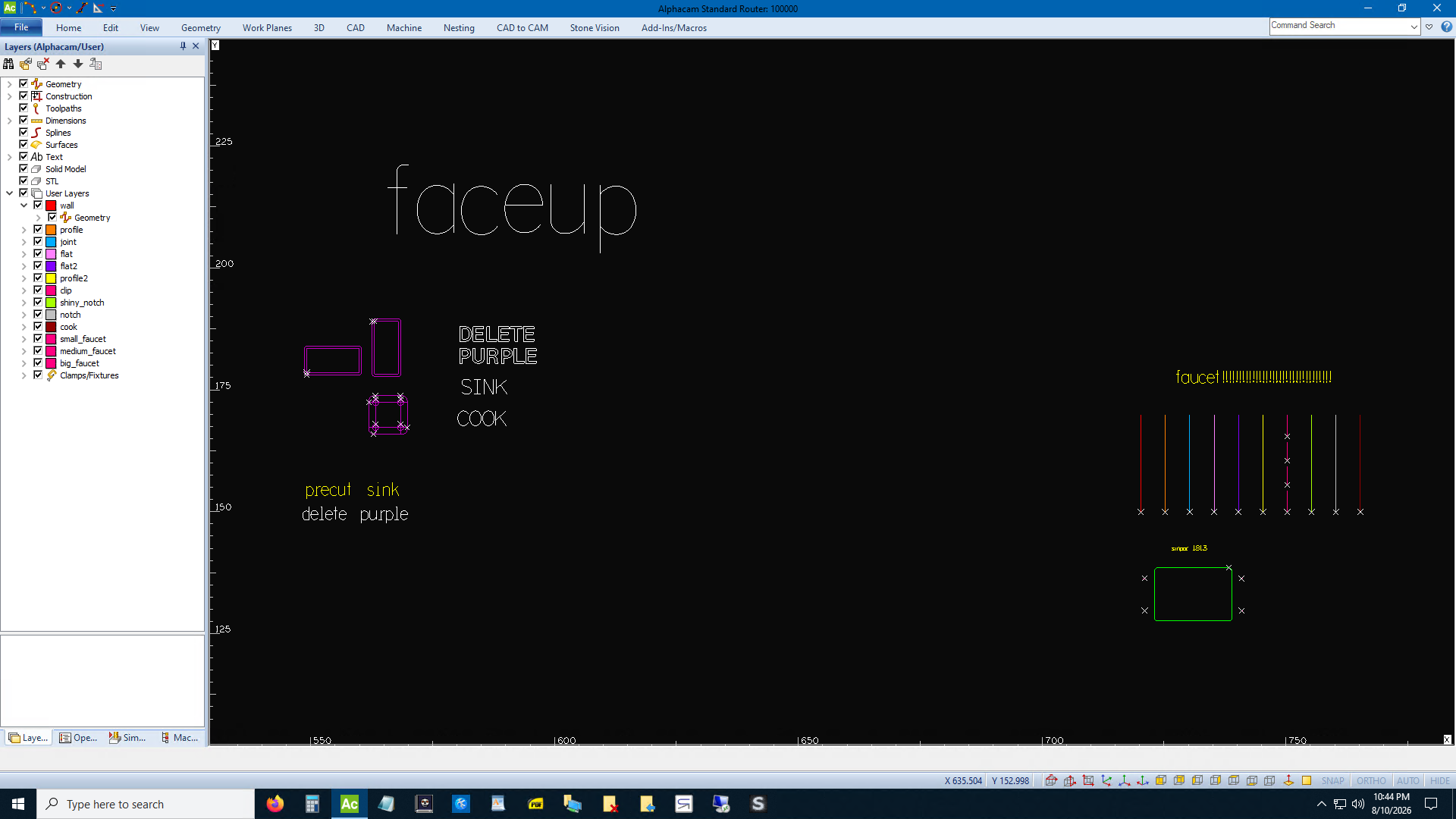
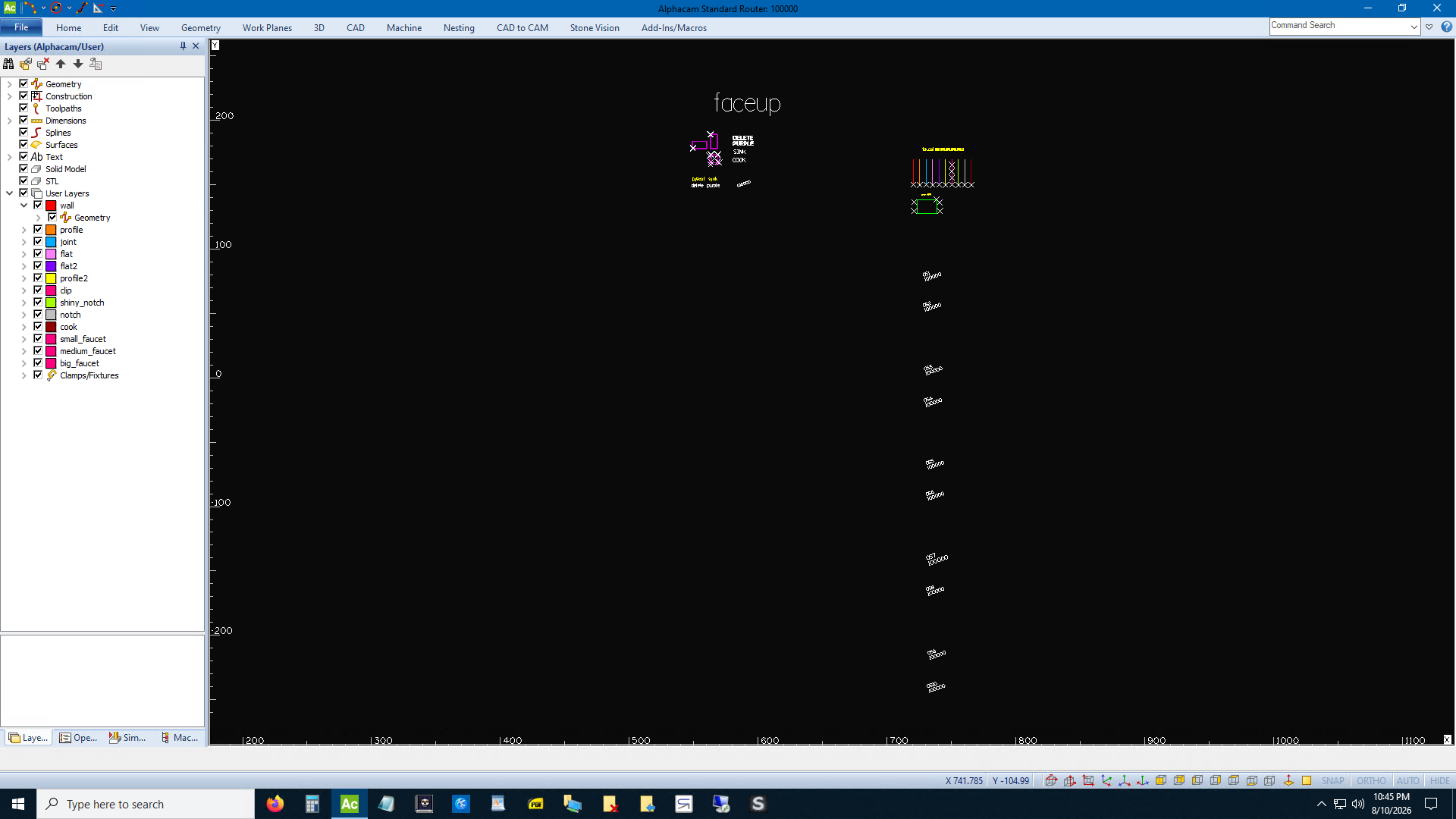
Now import dxf again and import any files you downloaded from Weaselware. Pretty sweet, isn't it? Trust me, you will not miss creating folders or deleting dimensions. Have a nice day. I'm gonna go slip into a coma.
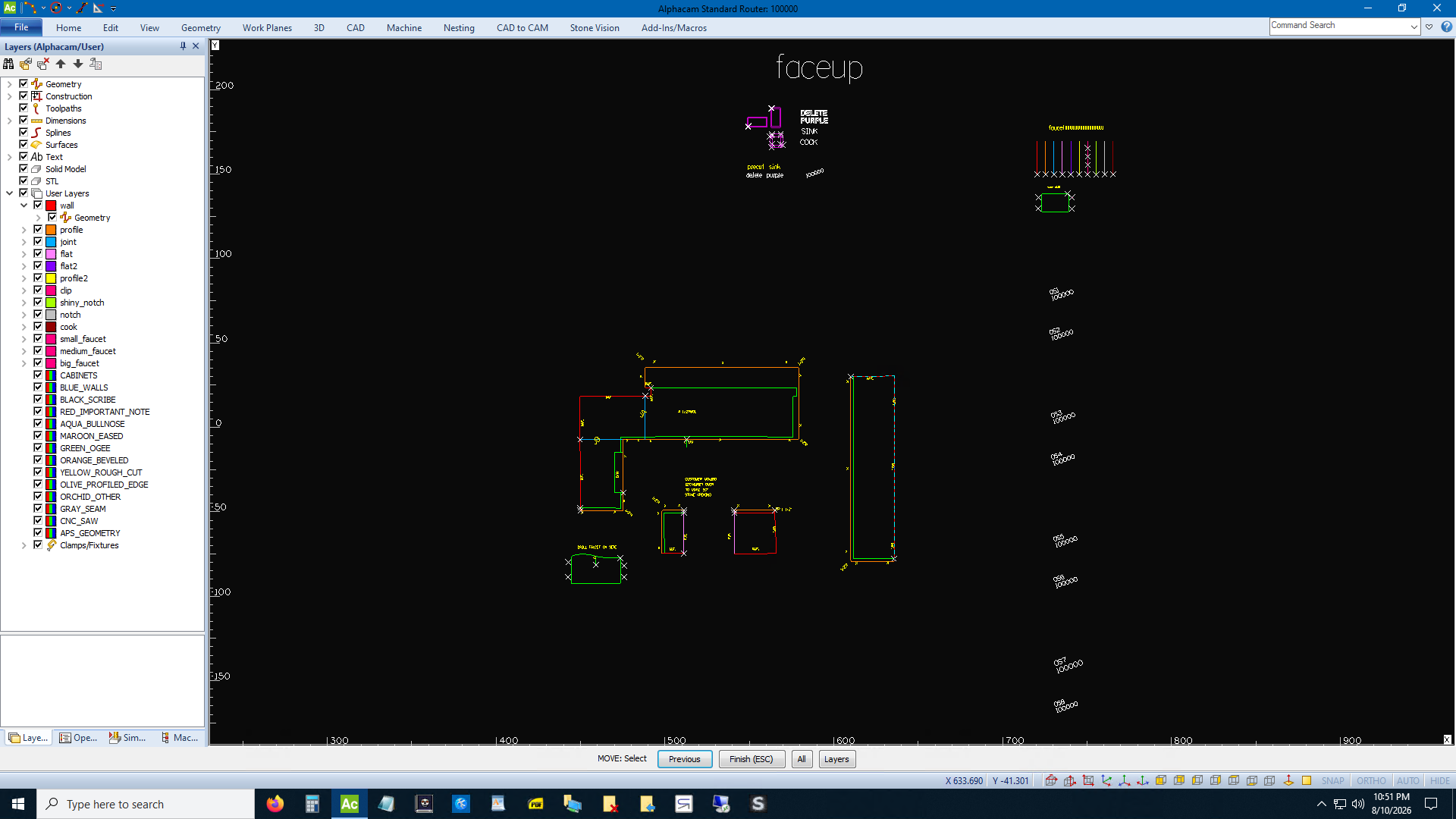
I'm adding a lot of features to weaselware. Stay tuned. www.silicatewastes.com
If you can't read an image right click and Open Image in New Tab.