How to use:
The FILTER Button
The BLANCO Button
The UPLOAD Button
General Site Info
Weaselware:
Instructions
Advanced
Life advice:
Passwords
How to do:
The Platner Edge
A Drainboard
coming soon:
One weird trick to keep pieces from moving while milling sinks.
Suction cup companies hate it!
Also, TOP 10 ways to make banana bread from dried up old banana peels.
#8 will BLOW YOUR MIND
Whenever you download a sink the RATE button turns pink until you vote on or skip that sink.
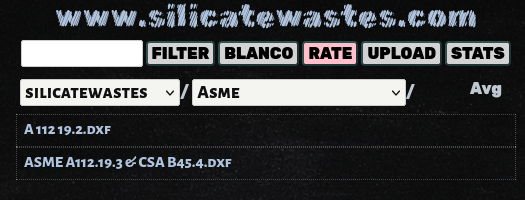
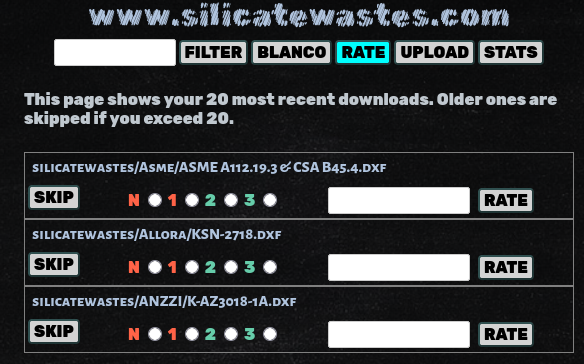
Click the RATE button. Here you can see I downloaded three sinks. If you never cut the sink or for whatever reason you don't think you'll ever know the answer, just pick SKIP. It's better not to vote than to vote inaccurately.
You can comment without rating now, it will just put an X.
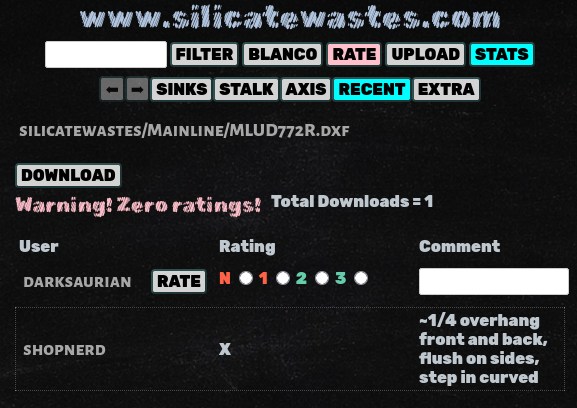
I appreciate accurate ratings but if you're a sociopath and you don't want to help I've got your back. You can ignore the pink RATE button forever and it won't effect your experience.
The left and right columns turn off throughout the website if you shrink the width of the window below a certain threshold. Try slamming the window against the side of your screen to make it take up half the screen.
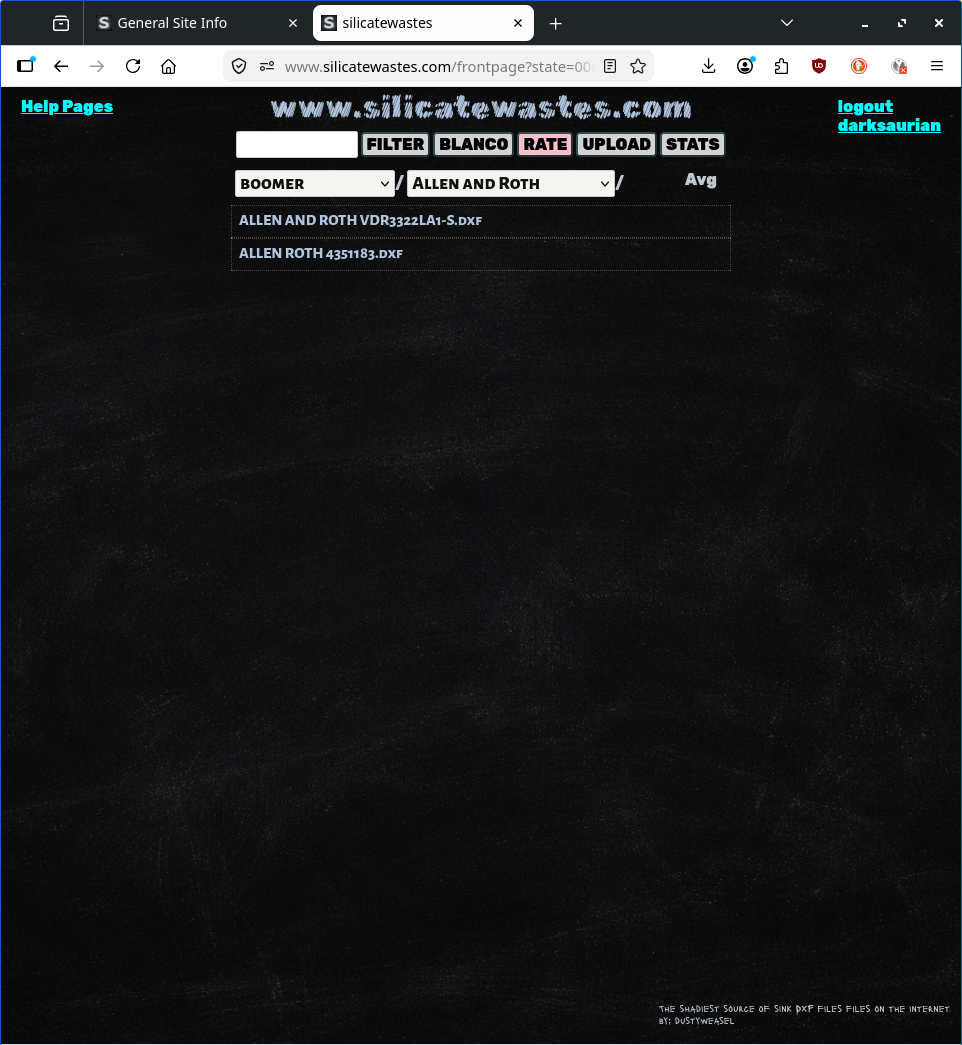
I made it so the entire website works in just half a screen. All the superflous stuff like Sink Chat, or the instructions and dxf preview on the sink page are disabled. If you don't like extra stuff just slam the window to the side of the screen.
Open up AlphaCAM or whatever at the same time. Slam AlphaCAM to the right side of the screen and www.silicatwastes.com to the left side of the screen. Download a sink.
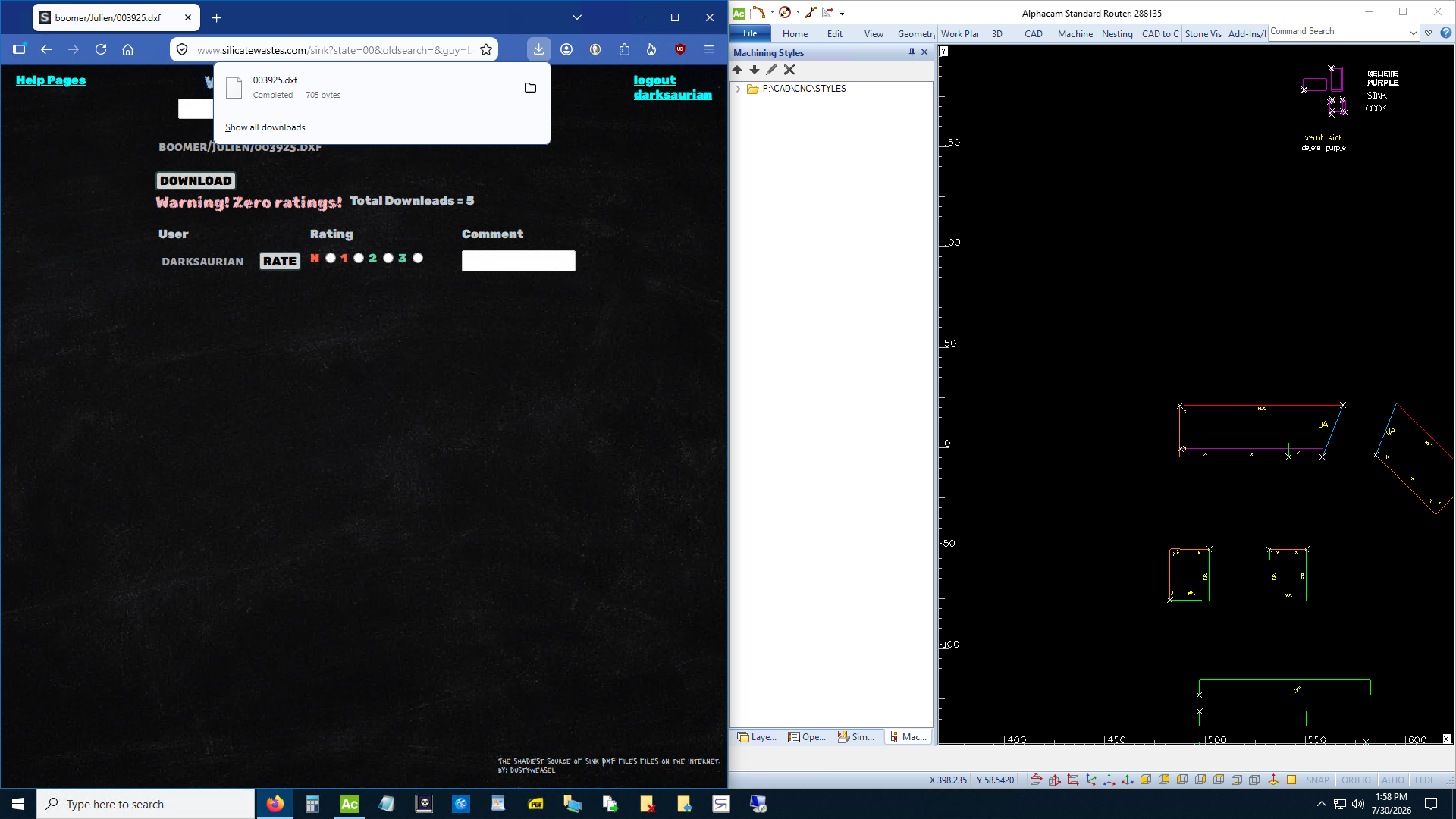
See the downloads window that popped open when I download the Julien 003925.dxf above? Since it's a dxf I can just click on it in that window and drag it straight to AlphaCAM and drop it in.
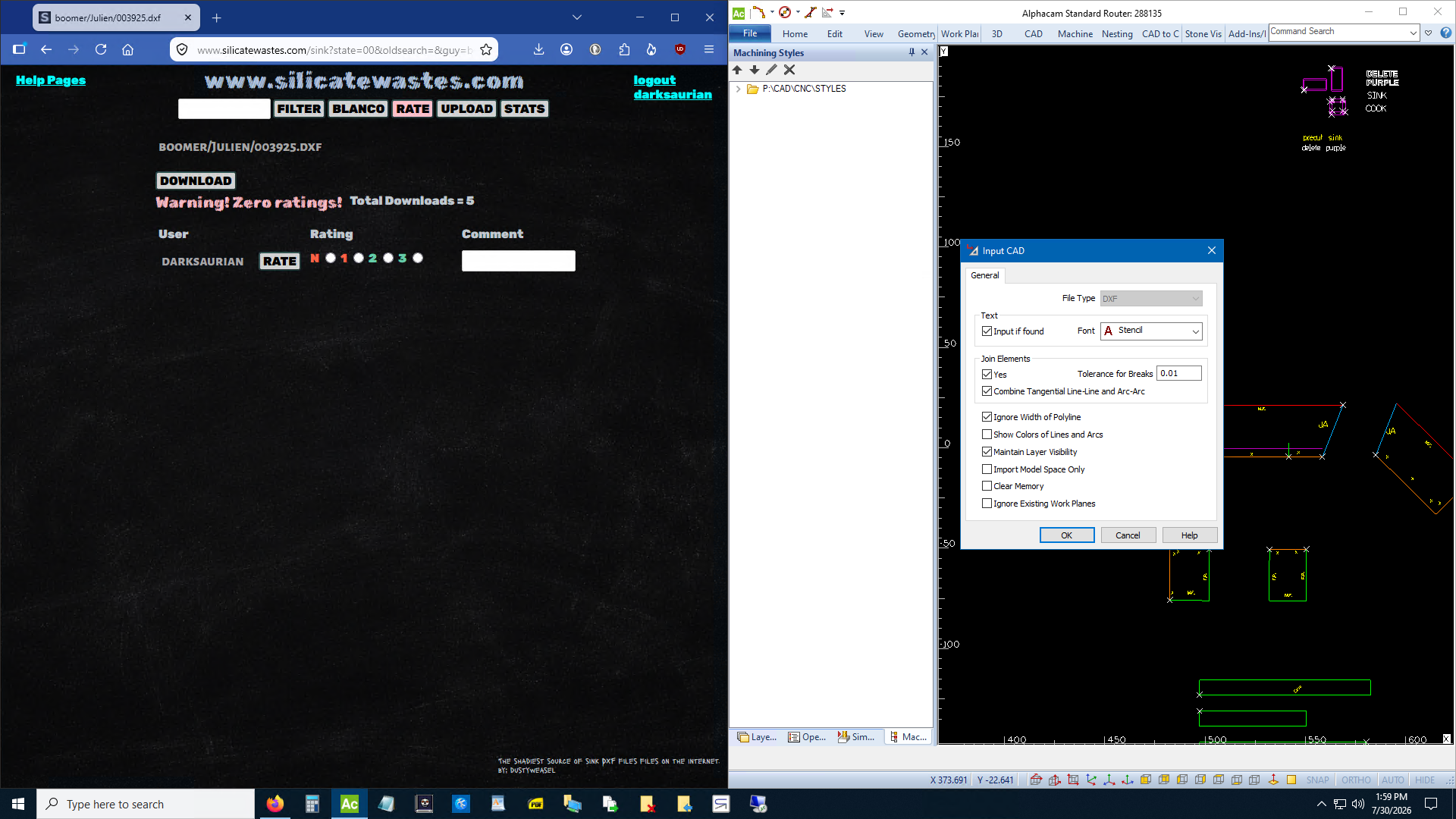
If you have a command active in AlphaCAM like move or copy or whatever then it won't work. You have to go back to AlphCAM and ESC out of everything. Also that only works with dxf files in AlphaCAM. If you download an .ard from a legacy folder then you have to download it and import it the old fashioned way.
Only dxf files are allowed on www.silicatewastes.com. The exception is the legacy folders. Any donor folder with a ~tilde in front of it is a legacy folder back from when people used to email me sinks and I'd upload them to the website myself. That was before I wrote the dxf processor. Legacy folders contain ards, asds, dwgs, tags, and ests. They contain dxfs too but none of the dxfs in the legacy folders have been ran thru the dxf processor.
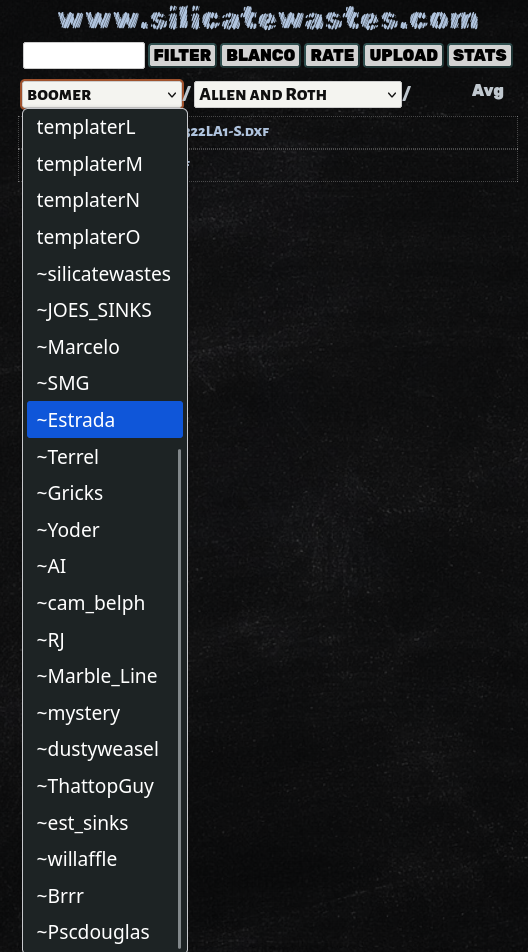
You might notice there's two silicatewastes folders. The new one has years worth of new files and everything in it has been ran thru the dxf processor. Someday I'll merge ~silicatewastes into silicatewastes but that's a headache for another day.
If you can't read an image right click and Open Image in New Tab.